GTA 6 is playable in first-person, here's how to activate it
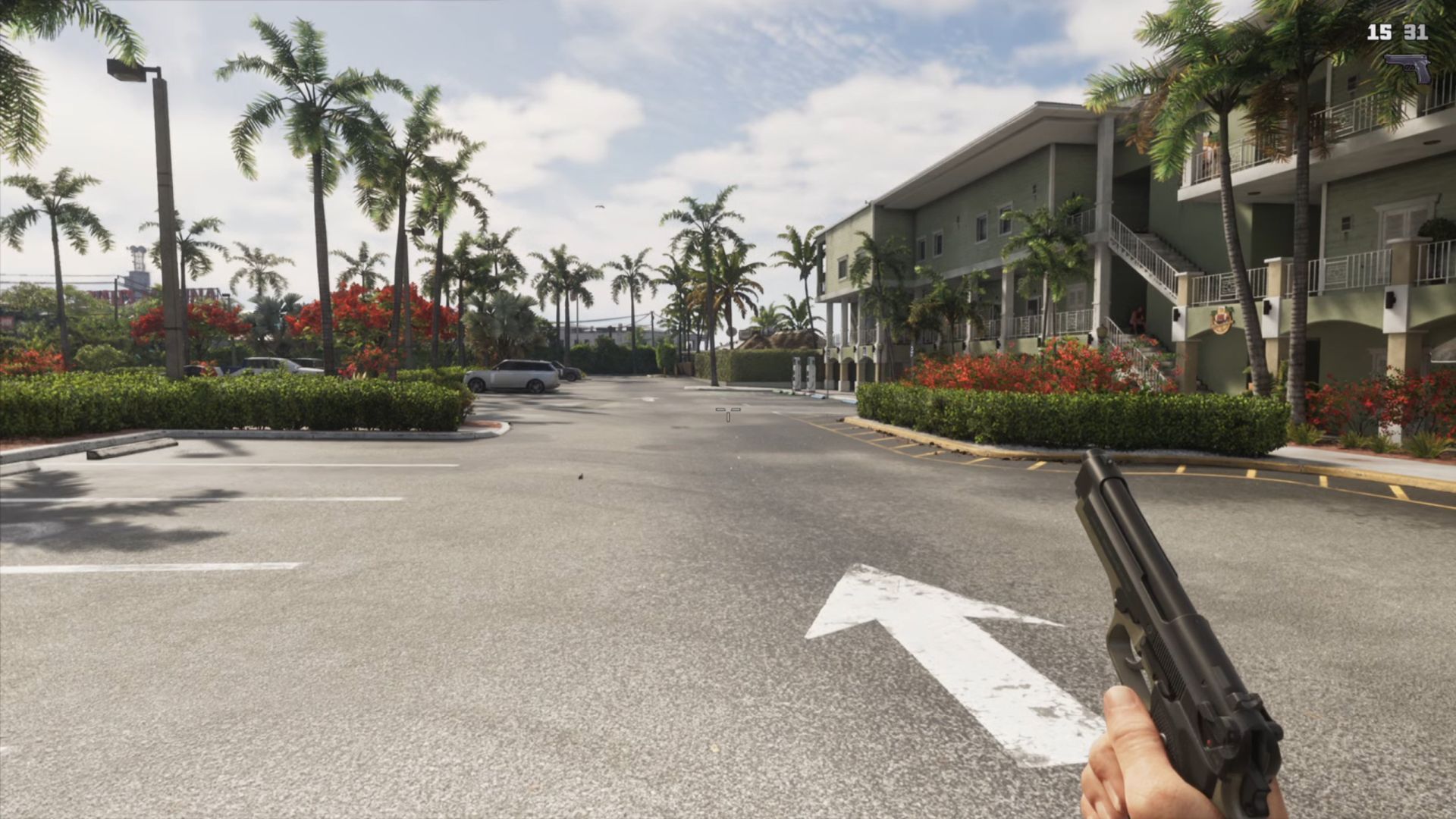
While you can switch to first-person temporarily in Grand Theft Auto 6 when you want to get a real good close-up of a texture, you're locked in place and can't run around doing crimes and having fun like you could when GTA 5 got its first-person mode. Except actually you can, as discovered by players on Reddit and tested by our own Morgan Park. It's easy enough to activate in-game. Go to the controller settings, then under the Controller Features section change your view button to Camera 2 / 2. Get into a car, bring up your phone with the D-pad, press Circle or B then quickly hit Select. There you go, first-person GTA 6. As Morgan's footage shows, it's completely playable. It doesn't look 100% done, however, with your shoulders clipping through the camera when you've got a longarm gun up. Seeing someone break into a car in first-person also looks a bit rough around the edges. While conspiracy theorists have convinced themselves that Rockstar is holding back this feature to sell it as DLC, I figure they're probably still polishing it to add in a future update. If you want to leave first-person, you'll have to reload a save. It doesn't have to be an old save, though. If you save in first-person then immediately load the same save you'll be back in third-person and have to return to
Preview from PC Gamer · Up to 1,300 characters supplied by the feed.
PC GamerContinue reading at PC GamerThe complete article is published on the original website. GTANIX hosts the reader conversation.
More to explore

How to Enter Area 51 & Rescue the Alien in GTA 6
GTA 6: Does Jason Have To Participate In The Safe Word Mission

The Most Helpful GTA 6 Cheat Codes and How to Access Them

In the GTA 6 Delights robbery mission, help or don't help Frankie and Mario?
GTA 6: How To Get The Sneakers In Ride Or Die
How do you feel about this story?
0 reactions · Sign in to add your reaction.
Sign in to comment, react and save Create a free account
Community comments
No approved comments yet. Start a useful discussion.